The problem in one paragraph
Mailbox providers — Gmail above all — decide whether your email lands in the inbox by watching how people react to it: bounces, spam reports, and whether anyone opens or replies. That reputation attaches to the domain you send from. One campaign to a stale list can drag down the delivery of every invoice, proposal, and one-to-one reply that shares that domain. PULSE's deliverability setup keeps the risky mail apart from the mail that must not fail, sends only to people who want it, and shows you what the providers are actually seeing.
The setup, in order
Everything lives in Settings → Email, with the audience rules on each campaign. Done once, in this order, and it runs by itself from then on.
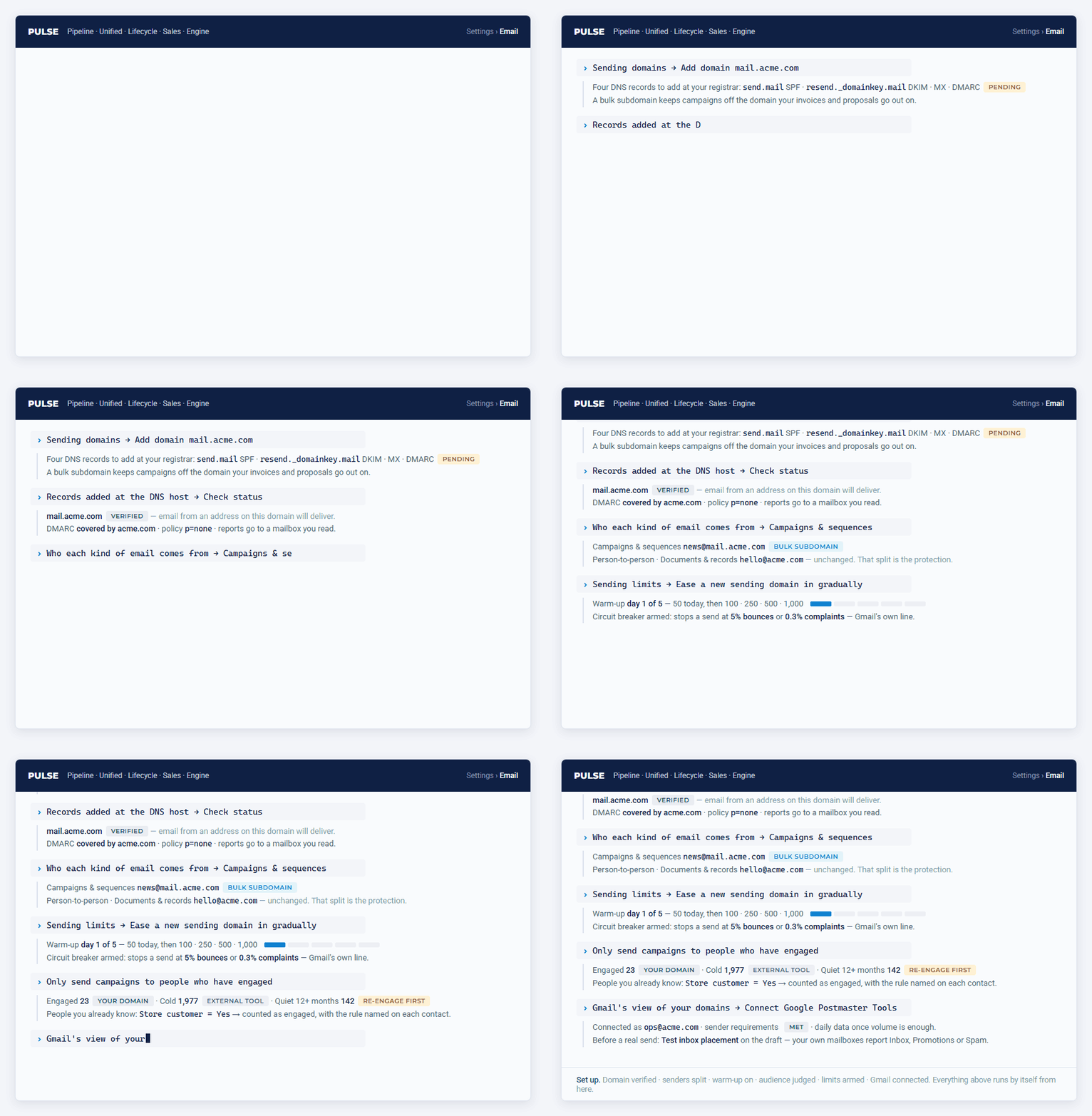
- Register a sending domain and add its DNS records, then a bulk subdomain for campaigns — see Sending domains & DMARC.
- Point Campaigns & sequences at the subdomain under Who each kind of email comes from, and leave documents and person-to-person mail on your main domain. That split is the protection.
- Let the warm-up ramp run: a new domain sends a little more each day until it has a history — see Sending limits, warm-up & the circuit breaker.
- Decide who you may email and who counts as engaged — consent mode, double opt-in on forms, the engaged / cold tier, and the people you already know — see Who you can email.
- Connect Google Postmaster Tools and run an inbox placement test before a real send — see Reading your deliverability.
What runs by itself afterwards
- Every campaign is sent in batches, under an hourly ceiling and the warm-up cap, and stops itself if bounces or spam complaints climb past your limits.
- Every night PULSE re-assesses each contact's engagement and sending tier, and checks that every address still has a domain that accepts mail.
- The Campaigns page shows a rolling 30-day view of bounces, complaints, and unsubscribes, judged against Gmail's own thresholds — and Gmail's own verdict once Postmaster Tools is connected.
What it does not do
PULSE cannot verify that a specific mailbox exists before you send (that needs a paid verification vendor), and it cannot see reputation for providers other than Gmail. Cold outreach to people who have never heard from you is deliberately kept off your own domain: PULSE hands those lists to an external cold-email tool instead. See Who you can email.